
Tablets have become an essential tool for seniors learning technology, offering a bridge to the digital world with their user-friendly interfaces and accessibility features. Whether it’s for video calls with family, reading, or online learning, the right tablet can make a significant difference in a senior’s daily life. However, choosing the best tablet isn’t always straightforward. With so many options that appear similar on the surface, it’s crucial to focus on features that truly cater to seniors’ needs, such as screen size, ease of use, and accessibility options. This guide will help you navigate these choices, highlighting the best tablets for seniors and what makes each one stand out.
Tablet Reviews
1 Jeazans 10.1” Android Tablet
Best For: All-in-One Functionality
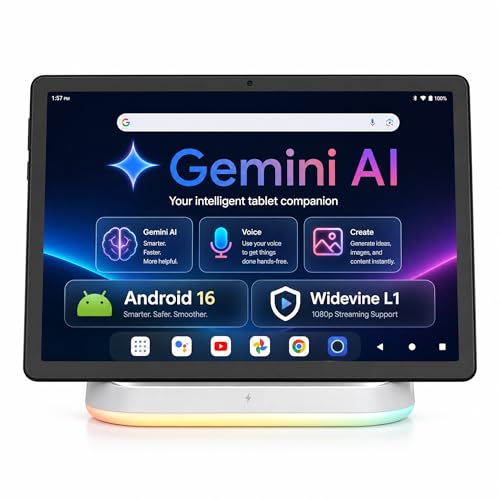
This tablet is perfect for seniors who want a versatile device that can serve as a digital photo frame, desk clock, and more, all while offering a smooth Android experience.
Why We Like It
The Jeazans 10.1” Android Tablet is known for its multifunctional dock station that transforms the tablet into a smart hub. This is ideal for seniors who appreciate having a central device for music, photos, and even white noise for relaxation. Its large storage capacity ensures you won’t run out of space for apps and media. However, the multitude of features might be overwhelming for those new to technology. Still, for those ready to explore, it offers a robust experience with its fast processor and vibrant display.
- Premium Performance at Great Value
- All-in-One AI Smart Speaker Dock
- 10″ HD IPS Wide View Display
- Long Battery & Fast Stable Connection
2 GrandPad Easy-to-Use Tablet
Best For: Simplified Use
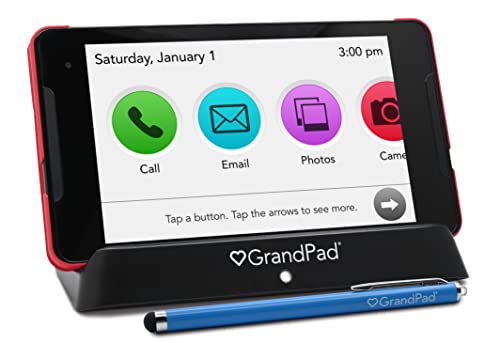
Designed specifically for seniors, this tablet offers a secure and straightforward way to stay connected with family and friends through video calls and photo sharing.
Why We Like It
The GrandPad tablet is tailored for seniors who prioritize ease of use and security. Its large icons and simple navigation make it accessible for those who might not be tech-savvy. The built-in scam protection ensures a safe online experience, which is a significant advantage for seniors concerned about digital security. However, the need for a subscription plan might be a drawback for some. Despite this, its focus on connectivity and safety makes it a strong contender for seniors looking to stay in touch with family through video calls and photo sharing.
- Designed for Seniors
- Requires Activation
- Connects the Entire Family
- Fraud Prevention & Safety
3 MESWAO 15.6 Inch Android Tablet
Best For: Large Screen Viewing
For seniors who enjoy watching movies or video calls on a big screen, this tablet offers a spacious 15.6-inch display with excellent sound quality.

Why We Like It
The MESWAO 15.6 Inch Android Tablet is a fantastic choice for seniors who value a larger screen for activities like reading and video calls. Its expansive display and four-speaker setup create an immersive experience, perfect for movie nights or catching up with family. The tablet’s size, however, makes it less ideal for those who need a portable device. Still, its performance and display quality make it a standout option for home use.
- 15.6-Inch Viewing Area
- Family Video Calls
- Movies and Music Together
- Voice Assistance and Daily Apps
4 TCL TAB 10 Gen 4 Android Tablet
Best For: Everyday Use
This tablet is ideal for seniors who need a reliable device for daily tasks, offering a balance of performance and portability.

Why We Like It
The TCL TAB 10 Gen 4 is a well-rounded tablet that suits seniors who need a device for everyday activities. Its lightweight design makes it easy to carry, and the fast-charging battery ensures it keeps up with daily demands. While the Sound Booster feature is a plus, its limitation in headphone mode might be a downside for some. Overall, its balance of features and portability makes it a practical choice for seniors.
- Immersive FHD Display and Rich Sound
- Smooth Android 15 Everyday Performance
- 6000mAh Battery with 18W Fast Charging
- Large Memory & Expandable Storage
5 YLEEBG 2026 Tablet 10 inch
Best For: Versatile Use
This tablet is a great choice for seniors who want a device that can double as a mini PC, thanks to its included keyboard and accessories.

Why We Like It
The YLEEBG 2026 Tablet is perfect for seniors who want more than just a tablet. With its included keyboard, mouse, and stylus, it transforms into a mini PC, ideal for those who need to type documents or browse the web extensively. Its robust storage options mean you won’t run out of space anytime soon. However, setting up all the accessories might require a bit of patience. Despite this, its versatility makes it a compelling choice for seniors who want a device that can do it all.
- 32GB RAM + 256GB ROM, Up to 2TB Expandable
- Android 16 & Built-in Gemini AI
- 8000mAh Battery + Dual Cameras
- 10.1-inch HD Screen + Widevine L1
How to Choose the Right Tablet
Screen Size and Readability
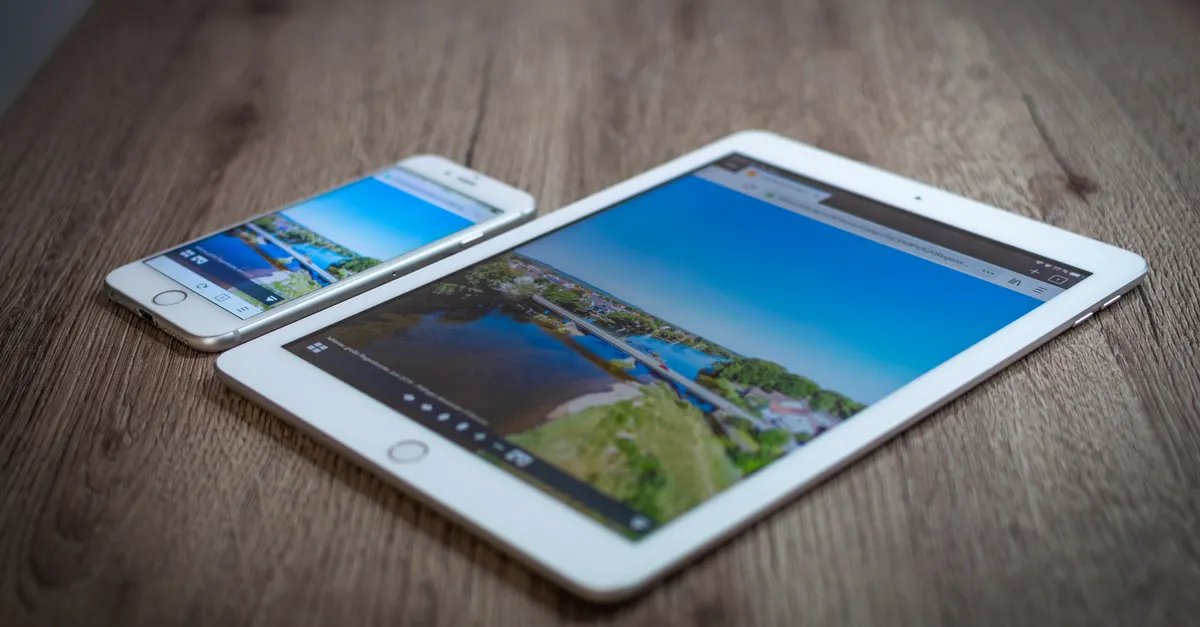
When selecting a tablet for seniors, screen size is a critical factor. Larger screens are easier on the eyes and can help with vision impairments. A bigger display also makes it easier to navigate apps and read text without straining the eyes.
Accessibility Features
Look for tablets with features like voice commands, adjustable text sizes, and screen readers. These accessibility options can significantly enhance the user experience for seniors, making technology more approachable and less intimidating.
Ease of Use
Tablets with simple interfaces and large icons are ideal for seniors. Devices that offer easy navigation and intuitive controls can help seniors feel more confident using technology, reducing the learning curve associated with new gadgets.
Frequently Asked Questions
What are the benefits of using tablets for seniors?
Tablets offer seniors a way to stay connected with family and friends through video calls and social media. They also provide access to a wealth of information and entertainment, from reading e-books to watching movies.
How can tablets be set up to be more user-friendly for seniors?
Customizing the tablet’s settings can make it more user-friendly for seniors. This includes increasing the font size, enabling voice commands, and setting up shortcuts to frequently used apps.
Are there any tablets specifically designed for seniors?
Yes, some tablets, like the GrandPad, are specifically designed with seniors in mind, offering simplified interfaces and features that cater to their needs, such as large icons and scam protection.
Choosing the right tablet for seniors involves balancing features like screen size, ease of use, and accessibility. By focusing on these aspects, you can find a device that not only meets the needs of seniors but also enhances their digital experience, making technology a more integral part of their lives.