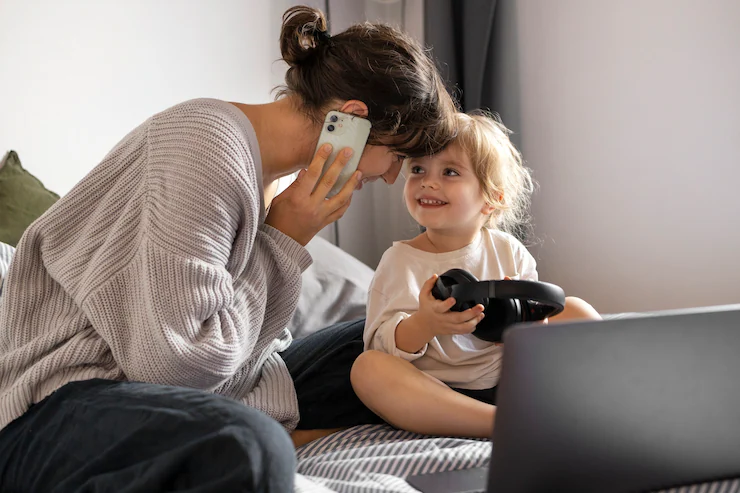
Smart speakers, voice-activated hubs, and AI-powered helpers are now common in many households, offering convenience and hands-free support for everything from reminders to entertainment. However, as these devices become more integrated into daily routines, concerns about how digital assistants can be secured—especially in homes with children—are increasingly important. Understanding the risks and implementing practical safety measures helps families enjoy the benefits of these technologies without compromising privacy or security.
This article explores actionable steps for protecting your family’s digital helpers, including privacy settings, device management, and safe usage habits. Early in your journey to safer smart homes, you may also want to review how to set up a family safety network for a broader approach to digital security.
Understanding the Risks of Home Digital Assistants
Voice-activated devices are always listening for their wake words, which means they can potentially capture sensitive conversations or personal information. Children may unintentionally share private details or make unauthorized purchases. Additionally, poorly secured devices can be vulnerable to hacking or misuse.
- Privacy leaks: Accidental recordings or data sent to cloud servers.
- Unauthorized access: Weak passwords or default settings can allow outsiders to control devices.
- Inappropriate content: Without filters, children might access unsuitable material.
- Purchasing risks: Kids can place orders or subscribe to services without parental approval.
Setting Up Strong Security for Digital Assistants
The first step in securing digital assistants for families is to review and adjust device settings as soon as they are installed. Manufacturers often provide options to limit data collection, manage user permissions, and restrict certain features.
- Change default passwords: Use strong, unique passwords for device accounts and Wi-Fi networks.
- Enable voice recognition: Many assistants allow you to train them to recognize specific voices, reducing the risk of unauthorized commands.
- Review privacy settings: Disable features like automatic voice recording storage, or set devices to delete recordings regularly.
- Limit purchasing abilities: Turn off voice purchasing or require a PIN for transactions.
- Update software regularly: Keep devices up to date with the latest security patches.
Managing Family Access and Permissions
Not every member of the household needs the same level of access to your digital assistant. Most platforms allow you to create child accounts or set up family profiles with tailored permissions.
- Set up child profiles: These restrict access to explicit content and limit certain functions.
- Monitor activity logs: Regularly check what commands have been given and what content has been accessed.
- Use parental controls: Enable filters for music, video, and web searches.

Teaching Safe Habits for Voice Assistant Use
Technology is only as secure as the people using it. Educating children and adults about responsible device use is a crucial part of keeping your household safe. For more tips, see our guide on safe technology habits for families.
- Discuss privacy: Explain why it’s important not to share personal information with voice assistants.
- Practice safe commands: Encourage children to ask before using the device for new tasks or purchases.
- Supervise usage: Place devices in shared spaces where activity can be monitored.
- Review device responses: Teach kids to recognize when a device gives an unexpected or inappropriate answer.
Advanced Tips for Securing Smart Home Devices
Beyond basic settings, families can take additional steps to strengthen their home’s digital defenses. Integrating security across all smart devices—such as cameras, locks, and thermostats—creates a safer environment for everyone. For a deeper dive, read about the importance of secure smart devices in family safety.
- Network segmentation: Use a separate Wi-Fi network for smart devices to isolate them from computers and phones.
- Disable unused features: Turn off microphones or cameras when not needed.
- Physical security: Place devices where they can’t easily be tampered with or stolen.
- Regular audits: Periodically review all connected devices and their permissions.

Staying Informed About Evolving Technology
As artificial intelligence and smart home technology continue to evolve, so do the challenges and opportunities for family safety. It’s important to stay updated on new features, vulnerabilities, and best practices. Organizations like UNICEF are exploring how generative AI can better serve children’s rights, which includes recommendations for protecting young users in digital environments.
Families should regularly check manufacturer updates, participate in community forums, and consult trusted resources for the latest guidance. Being proactive helps ensure that your home remains secure as new devices and features are introduced.
Integrating Digital Assistant Security Into Family Routines
Making security a part of everyday life is key. Set regular reminders to review device settings, discuss technology use at family meetings, and encourage open conversations about privacy. For families with children who use location-based services, learning how geofencing keeps kids safe can add another layer of protection.
By combining technical safeguards with strong communication and ongoing education, households can confidently use digital assistants while minimizing risks.
FAQ
What are the most important steps to secure a digital assistant at home?
Start by changing default passwords, enabling voice recognition, and reviewing privacy settings. Set up child profiles, use parental controls, and keep device software updated. These actions help prevent unauthorized access and protect personal information.
Can children safely use smart speakers and voice assistants?
Yes, with the right safeguards in place. Create child accounts, enable content filters, and supervise usage. Teach children about privacy and encourage them to ask before using new features or making purchases.
How often should families review their digital assistant’s security settings?
It’s best to check settings at least every few months, or whenever there’s a major software update. Regular reviews help ensure that new features or changes don’t introduce unexpected risks.
Where can I find more information on family technology safety?
Explore our resources on safe technology habits for families and the importance of secure smart devices for additional tips and best practices.