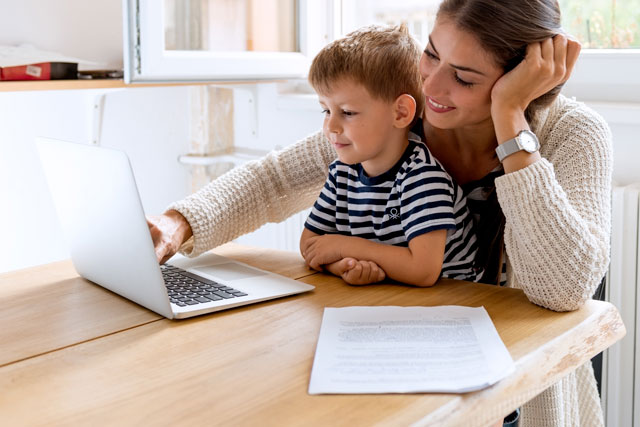
As families embrace smart technology, ensuring a safe environment for children becomes increasingly important. Modern connected devices offer convenience and security, but they also introduce new risks that parents must address. Understanding how to create child-safe smart homes means using technology thoughtfully, combining digital safeguards with practical habits to protect kids from both physical and online dangers.
This guide explores practical steps for building a secure, child-friendly home using smart devices. From parental controls to physical safety features, you’ll learn how to balance innovation with peace of mind. For a broader look at family protection, you may also find value in our resource on how to set up a family safety network, which covers essential strategies for keeping everyone safe in a connected world.
Key Principles for Building a Safer Connected Home
Creating a secure environment for children in a smart home starts with a combination of the right devices, careful setup, and ongoing supervision. Here are the foundational principles to guide your approach:
- Prioritize device security: Always update firmware and use strong, unique passwords for each device.
- Choose age-appropriate technology: Select gadgets and apps designed with children’s safety in mind.
- Set clear boundaries: Use parental controls and physical barriers to limit access to certain features or areas.
- Educate your family: Teach children about safe technology habits and the reasons behind your rules.
- Monitor and adjust: Regularly review device settings and adapt as your children grow or as new risks emerge.
Smart Devices That Enhance Child Safety
The right technology can help parents keep children safe at home and online. Below are some of the most effective smart devices for families focused on security:
- Smart doorbells and cameras: These allow you to monitor who enters and leaves your home, and can send alerts if unexpected activity is detected.
- Parental control routers: Manage internet access, filter inappropriate content, and set time limits for device use.
- Smart locks: Control access to doors remotely and set up unique codes for family members or trusted visitors.
- Wearable trackers: Smartwatches and GPS trackers help you keep tabs on your child’s location when they’re out of sight.
- Voice assistants with child modes: Devices like smart speakers can be configured to restrict certain content and interactions.

Setting Up Parental Controls and Digital Boundaries
One of the most effective ways to protect children in a connected home is by establishing digital boundaries. Parental controls can be set up on most smart devices, helping you manage what your kids can access and when. Here’s how to get started:
- Enable device-level controls: Use built-in settings on tablets, phones, and computers to restrict content, downloads, and app usage.
- Configure your Wi-Fi router: Many modern routers offer parental control features, allowing you to block specific sites or schedule internet downtime for certain devices.
- Monitor usage: Regularly check activity logs and adjust restrictions as needed.
- Communicate openly: Explain to your children why these controls are in place and encourage them to talk to you about anything they encounter online.
For more detailed guidance on establishing healthy digital habits, our article on safe technology habits for families offers practical tips for every age group.
Physical Safety Features in Smart Homes
While digital safeguards are essential, physical safety remains a top priority. Smart home technology can help prevent accidents and unauthorized access, especially for younger children. Consider these solutions:
- Smart sensors: Door and window sensors alert you if a child tries to leave the house unexpectedly.
- Automated lighting: Motion-activated lights can prevent trips and falls at night.
- Childproof outlets and switches: Smart plugs can be disabled remotely, reducing the risk of electrical accidents.
- Geofencing technology: Set up virtual boundaries that notify you if your child leaves a designated safe area. Learn more about this approach in our resource on how geofencing keeps kids safe.

Best Practices for Device Security and Privacy
Securing your smart home devices is crucial to prevent unauthorized access and protect your family’s privacy. Here are some best practices:
- Change default passwords on all devices and use strong, unique credentials.
- Enable two-factor authentication where available for an added layer of protection.
- Keep software updated to patch vulnerabilities and improve security features.
- Limit device permissions to only what’s necessary for functionality.
- Review privacy settings regularly, especially on devices with cameras or microphones.
For a deeper dive into this topic, see our article on the importance of secure smart devices for family safety.
Teaching Children About Safe Technology Use
Technology is most effective when paired with education. Talk to your children about the benefits and risks of smart devices, and encourage responsible use. Consider these tips:
- Set clear rules for device use, including screen time limits and approved apps.
- Discuss online privacy and explain why personal information should never be shared without permission.
- Model good behavior by practicing safe technology habits yourself.
- Stay involved by regularly checking in on your child’s experiences and offering support.
The American Psychological Association’s guide to keeping teens safe with technology provides additional expert advice on digital well-being and online safety.
Integrating Smart Home Safety With Family Routines
A truly secure home blends technology with daily routines. Make safety a regular part of family life by:
- Reviewing device settings together during family meetings.
- Encouraging children to report suspicious activity or online interactions.
- Updating safety protocols as your children grow and their needs change.
- Staying informed about new threats and solutions in the smart home landscape.
To further enhance your approach, explore how how family tracking apps use GPS can offer peace of mind when children are away from home.
FAQ: Child Safety and Smart Home Technology
What are the biggest risks for children in smart homes?
The main concerns include unauthorized access to devices, exposure to inappropriate content, privacy breaches from cameras or microphones, and physical risks like unlocked doors or windows. Regularly updating device security and using parental controls can help address these issues.
How can I make sure my smart devices are secure?
Always change default passwords, enable two-factor authentication, and keep device software up to date. Limit permissions to only what’s necessary and review privacy settings frequently, especially for devices that collect audio or video.
Are there smart devices specifically designed for child safety?
Yes, many brands offer products with built-in parental controls, childproofing features, and privacy protections. Examples include smart doorbells, GPS trackers, and routers with content filtering. Look for devices that are certified for family or child use.
How do I talk to my children about technology safety?
Use age-appropriate language to explain the reasons for rules and controls. Encourage open dialogue, answer questions honestly, and model safe technology habits yourself. Make sure children know they can come to you with concerns or if they encounter something troubling online.